Veedz AI ·
AI video and image upscaling examples
Compare original samples with actual Veedz AI exports. Check detail, motion, and output dimensions before upscaling your own media.
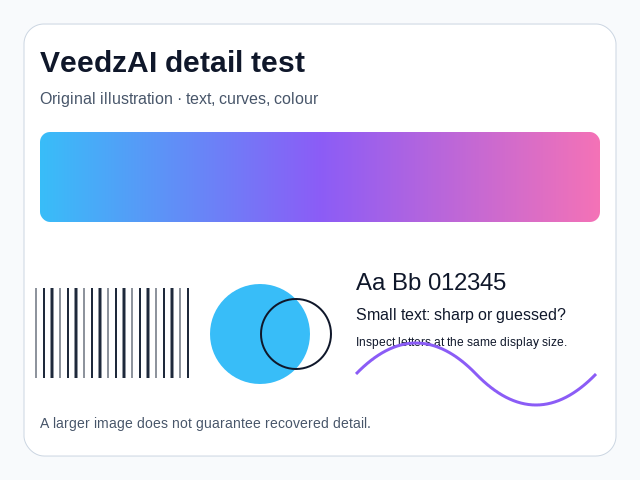
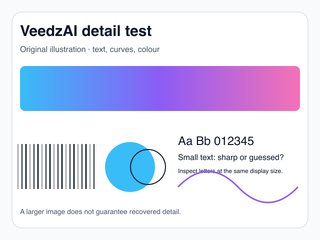
This sample is a diagnostic illustration created for VeedzAI. It is not a photograph, and the larger reference was drawn first rather than recovered by AI. It makes specific errors easier to see; it does not establish how the tool will perform on every image.
Load the sample in the image tool
Run a comparison you can repeat
- Load the sample, then read the device status above the file picker. If it says standard resizing, you are testing the fallback rather than AI.
- Select PNG — 2× so the result is 640 × 480 and does not introduce lossy export compression. Select Upscale Now.
- Download the result. Inspect it beside the reference and standard resize at the same display size. A larger preview alone is not evidence of improved detail.
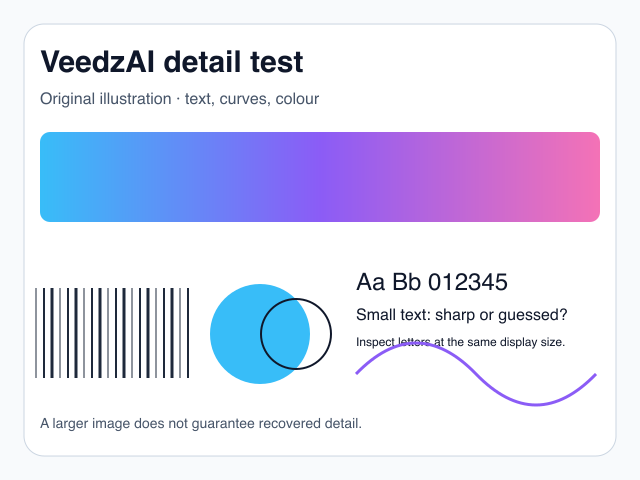
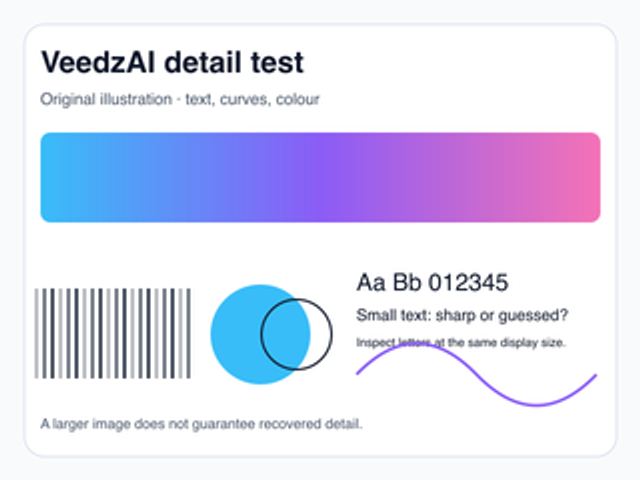
- Compare the “Aa Bb 012345” line, the narrow vertical lines, the intersecting circles and the gradient. Look for changed letters, halos, merged lines, banding or invented textures.
- Repeat at 4× if you need a larger file. Check whether the extra size improves your intended use or merely enlarges artifacts.
What this test cannot tell you
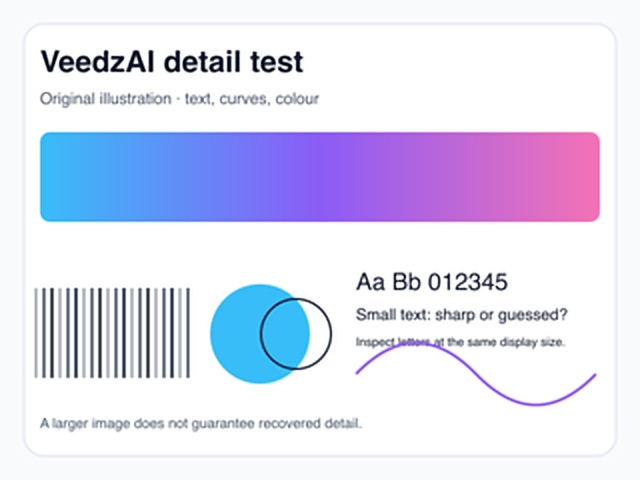
A line-art test is not a benchmark for faces, low-light photos, damaged scans or compressed video. AI predicts plausible detail; it cannot prove the appearance of a letter or an object that the original did not capture. Preserve your original and avoid treating an enhanced file as recovered evidence.
Download the actual browser fallback output. This was generated with the GPU disabled, using the same input and PNG at 2×. The tool labelled it as standard resizing before processing and in the result.
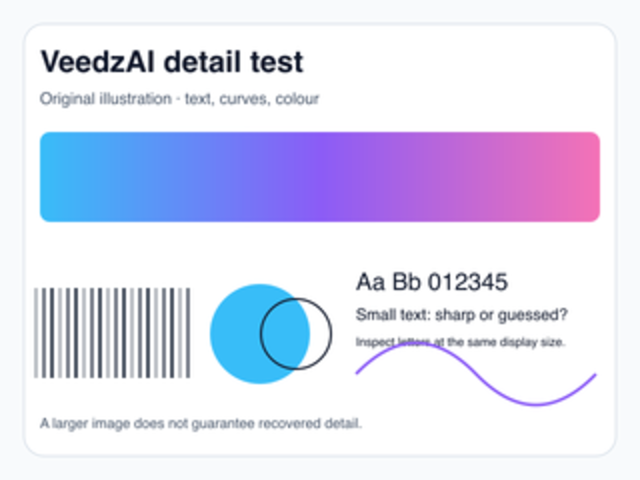
Measured differences from the known reference
We compared each 640 × 480 output with the original 640 × 480 reference. On this test card, the AI output is closer to the reference by the two pixel-error measures below. The small text still looks soft: improving an error score does not recover every letter or prove photographic accuracy.
| Output | Mean absolute RGB error ↓ | PSNR, dB ↑ |
|---|---|---|
| Sharp cubic resize | 5.03 | 23.03 |
| Actual browser standard resize | 4.72 | 24.06 |
| Actual VeedzAI 2× output | 3.60 | 25.84 |
Method: decode each PNG into 8-bit sRGB channels, flatten on white, then compare matching red, green and blue values. Mean absolute error is the average absolute difference on the 0–255 scale. PSNR is 10 × log10(255² / mean squared error). These measures evaluate fidelity to this known reference, rather than general image quality.
Download the results and output hashes. Run node scripts/measure-sample.mjs to reproduce the calculations from the supplied files. This single illustration is not a representative dataset; browser interpolation and AI results can differ by device.
A photographic example: Earth from Apollo 17
This photograph adds cloud textures, coastlines and smooth tonal changes to the illustration test. The source is NASA’s Apollo 17 photograph of Earth, taken on 7 December 1972. We obtained the image from Wikimedia Commons; NASA’s source record provides the mission context and credit.

Preparation: resize the source to a 1024 × 1024 PNG reference, reduce that reference to a 512 × 512 input, then process the input through VeedzAI at 2× with PNG output. The downloaded AI file is 1024 × 1024. This controlled reduction lets you compare the enlargement with a known reference.
Try the photographic sample · Download the 512 × 512 input.
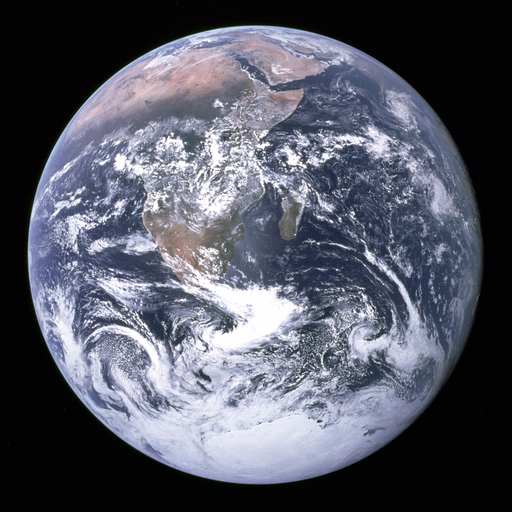
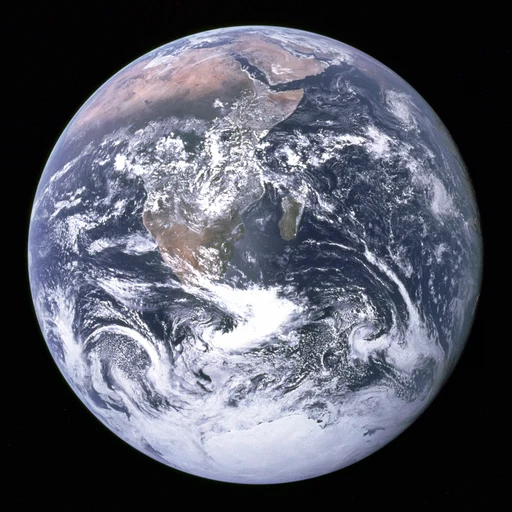
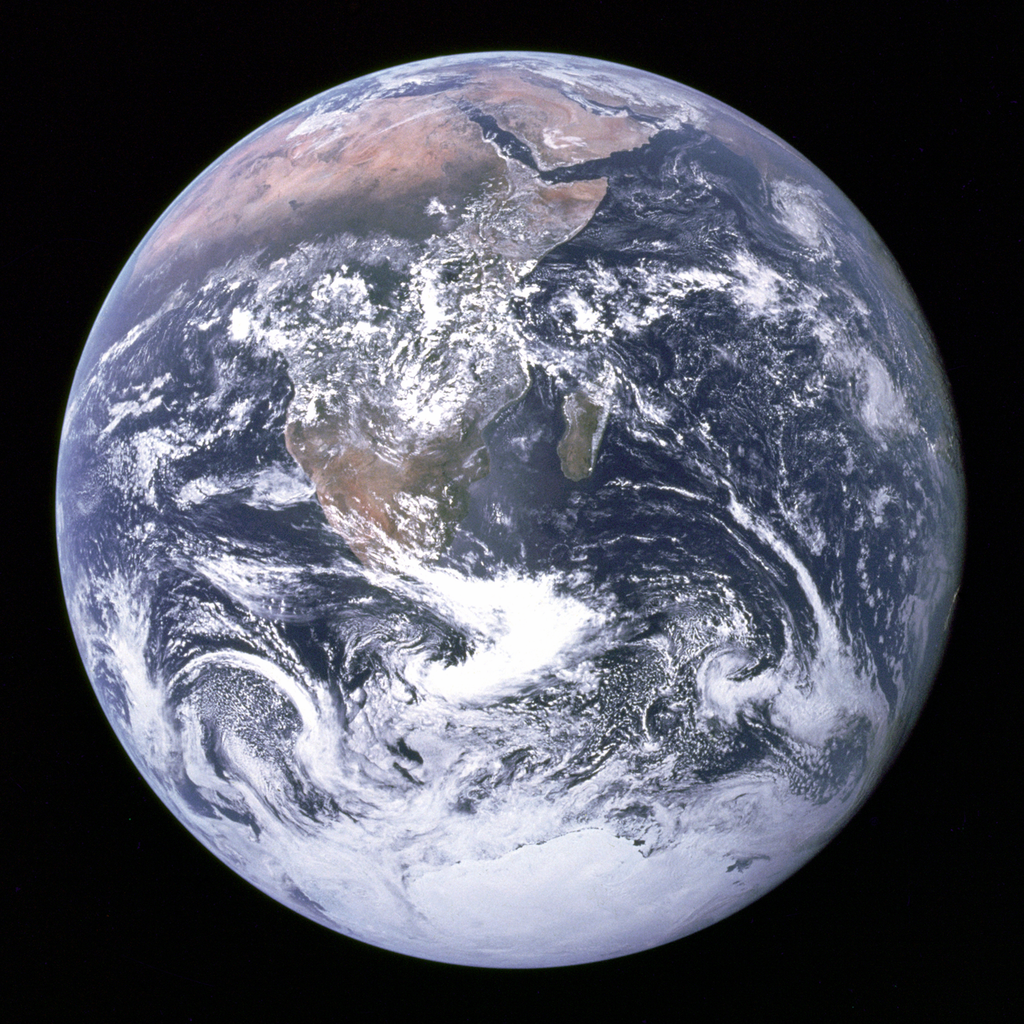
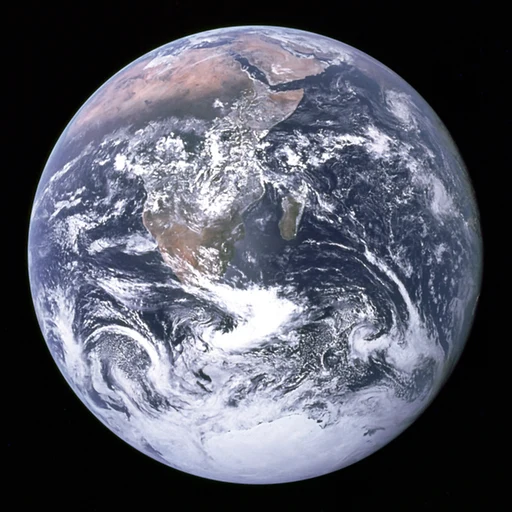
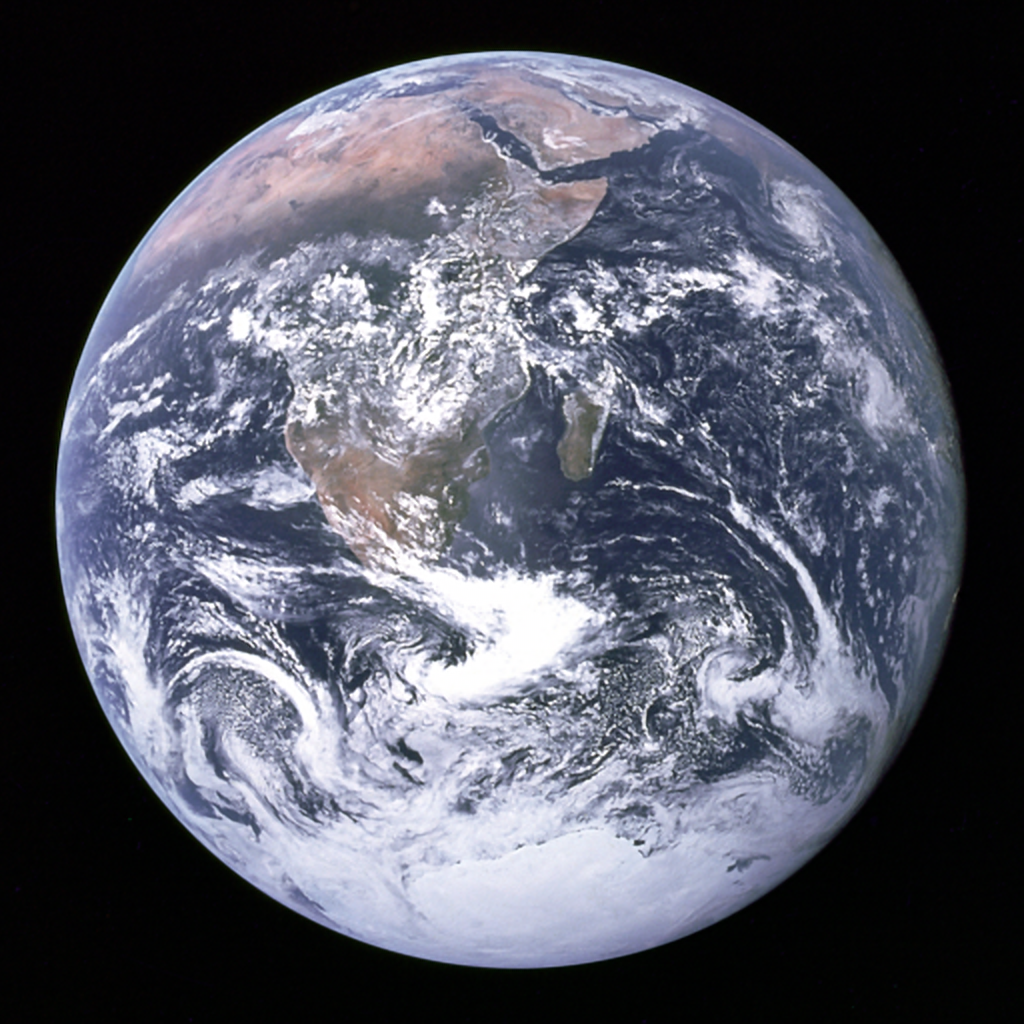
The previews are compressed for display. Use the PNG downloads for pixel comparisons. Look at the boundary between Earth and the black background, fine cloud bands and the coastline. Sharper-looking edges do not establish that every small feature is faithful to the source.
| Output | Mean absolute RGB error ↓ | PSNR, dB ↑ |
|---|---|---|
| Sharp cubic resize | 6.03 | 27.39 |
| Actual VeedzAI 2× output | 4.37 | 30.60 |
The method is the same RGB comparison described above. These results describe this prepared input and reference. They do not establish performance on portraits, badly compressed images or every photograph.
Download the cubic baseline · Measurements and output hashes · Source and preparation record.
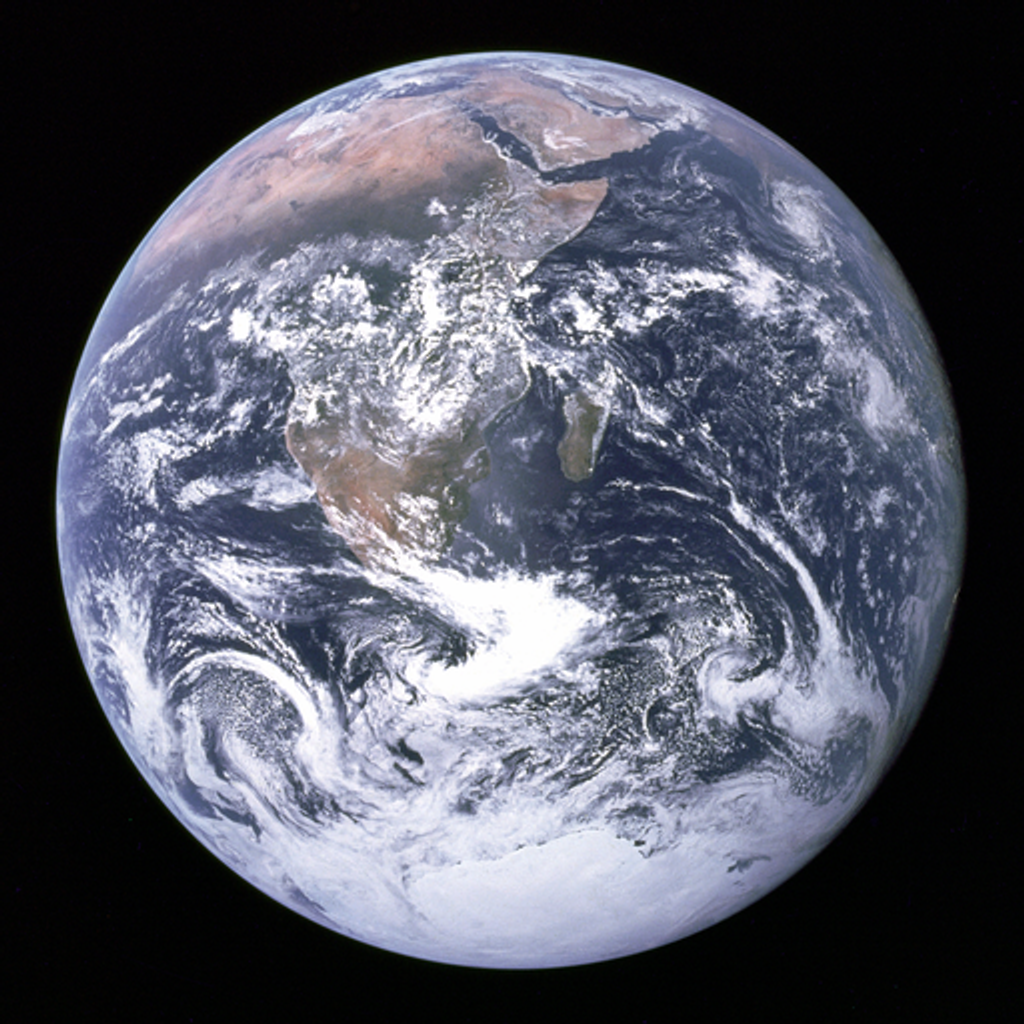
Source photograph: NASA / Apollo 17 crew. Preparation and processing comparisons: VeedzAI. This is an educational image-processing example using NASA imagery under its media-use guidelines. Consult those guidelines for reuse of the photograph.
Measure processing time on your device
Record your browser version, operating system, device/GPU, selected scale, output dimensions and whether the result used AI or standard resizing. Time from selecting Upscale Now to the result appearing. Record a first run separately from a repeat run; model downloads, caching and browser compilation can change the wait. Compare only equivalent settings.
There is no universal processing-time promise. Video measurements also need duration, frame rate, processing mode, reused-frame count, warnings and audio outcome. Do not extrapolate a small illustration’s timing into a guarantee for a large photograph or long clip.
A nature clip: low resolution and actual 4K AI output
The homepage comparison uses a river-and-forest aerial clip by Marc Espejo on Pexels, under the Pexels License. We selected seconds 5–8, reduced the footage to 480 × 270 at eight frames per second, compressed it with H.264 at CRF 35 and removed audio. Both sides show the same frames, crop and timing.
The 4K file is an actual AI export, produced by running three separate VeedzAI jobs on 13 October 2026 in Chrome on macOS: 480 × 270 → 960 × 540 → 1920 × 1080 → 3840 × 2160. Each job used Ultra and the Up to 4K limit, processed all 24 frames and reported no reused frames or standard-resize fallback. The original high-resolution stock footage is not substituted for the AI output.
The normal tool performs one 2× pass per job. Selecting Up to 4K on the supplied 480 × 270 input produces 960 × 540, rather than jumping directly to 4K. The homepage demonstration uses three manually repeated jobs. Repeated AI passes can amplify artifacts; 4K pixel dimensions do not establish restored texture or detail that the input lost.
Download the prepared 480 × 270 input · Actual one-pass 960 × 540 output · Actual three-pass 4K output.
Try the nature sample · Source, preparation and file hashes. The script scripts/generate-4k-comparison.mjs prepares the input from a local stock download and extracts compact first-frame posters from the real exports.
Audio and motion · AAC
Diagnostic audio test: the existing three-second nature sample has an added synthetic 440 Hz AAC tone, not its original soundtrack. One Ultra pass produces 960 × 540 from 480 × 270. Compare the input and actual export; this checks audio retention, not speech quality or synchronization across all files.
AAC audio is copied through when supported. Other or unreadable audio tracks are omitted with a warning. Check the exported video and audio before relying on the result.
Measurements and preparation · 2026-10-13 · Chrome 156 · macOS · Ultra · 24
Source and reuse: Marc Espejo / Pexels · Pexels.
Source and reuse
The illustrated detail-card artwork and its reference/baseline are original VeedzAI test materials. You may download and reuse those files for testing, with or without attribution. Reuse of the NASA photograph and Pexels nature footage follows their separately linked source guidelines.
Download the vector source · Download the tool input. The repository’s scripts/generate-samples.mjs generates the PNG source and cubic baseline reproducibly.